Basics of Designing using SolidWorks (Self Study)
Course Type:
 Self Study
Course Number:
 EL627
EL627Language:
Build a foundation in 3D CAD with SolidWorks. Learn sketching, part modeling, assemblies, and engineering drawings while applying GD&T and industry design standards.
Buying for a Group?
Get 5 seats or more for any eligible Self Study courses and save 25%. (This cannot be combined with any other offer).
{{activeProduct.Title}}
This course is not currently available.
Course Access
This Self Study course is designed to be taken at your convenience and on your own schedule. You have 365 days from the time of purchase to finish the course.
| Quantity | Item |
|---|---|
| {{ package.Quantity }} | {{ package.Title }} |
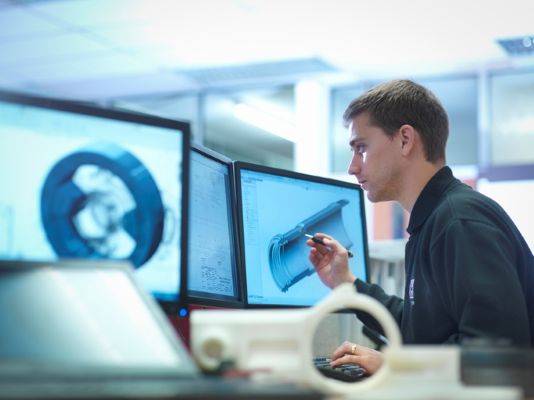
This course provides a hands-on introduction to SolidWorks, a powerful 3D CAD (Computer-Aided Design) software used for product design and engineering applications. Participants will develop foundational skills in creating 2D sketches, building 3D part models, assembling components, and generating professional engineering drawings using industry-standard principles. The course covers essential features, but not limited to, such as extrusions, lofts, fillets, and Boolean operations, simple mechanical parts, assemblies, and creating technical drawings for manufacturing.
Participants will gain practical design skills aligned with engineering drawing standards, geometric dimensioning and tolerancing (GD&T) principles, and industry best practices for product design and manufacturing documentation. The course incorporates key industry standards, including Engineering Drawing Standards (ISO/ASME), ASME Y14.5 for GD&T, and Manufacturing Drawing and Assembly Standards (ISO/ANSI).
By participating in this course, you will learn how to successfully:
- Create fully constrained 2D sketches and apply geometric relations.
- Develop and modify 3D part models using features such as extrusion, revolution, cut, sweep, and other fundamental modeling operations.
- Construct assemblies by integrating multiple components, applying appropriate mates, and evaluating the fit and functionality of mechanical systems.
- Generate professional engineering drawings from 3D models, including dimensions, annotations, GD&T requirements, tolerances, and bills of materials (BOM) in accordance with industry standards.
- Apply the complete CAD design workflow to a simple machine design case study, demonstrating the ability to model parts, create assemblies, and prepare manufacturing-ready documentation.
Who should attend?
This course is designed for undergraduate engineering students in mechanical, production, and related disciplines who are building foundational skills in CAD and 3D modeling for academic projects and career preparation. It is also suitable for professionals and early-career engineers working in or aspiring to industries such as mechanical engineering, product design, automotive, aerospace, and CAD drafting, including roles like Mechanical Engineer, Design Engineer, Aerospace Engineer, Drafter, and Automobile Engineer. Additionally, it supports individuals seeking to strengthen their SolidWorks and 3D modeling capabilities for career advancement and industry readiness.
Course Materials (included in purchase of course)
- Digital course notes via ASME s Learning Hub
- 1-year SOLIDWORKS student license
A Certificate of Completion will be issued to registrants who successfully complete the course by achieving a passing score of 75% or higher on the final exam.
Module 0 - Course Introduction
Module 1 - Create 2D Sketches
Module 2 - Develop 3D Models
Module 3 - Assemble Components
Module 4 - Generate Technical Drawings
Module 5 - Case Study

Ravindra Giriraj Bhardwajm, PhD
Assistant Professor of Mechanical Engineering at BITS Pilani
Ravindra Giriraj Bhardwajm, PhD, is an Assistant Professor of Mechanical Engineering at BITS Pilani, Dubai Campus. He has extensive teaching experience in CAD, engineering graphics and design, materials science, renewable energy, and machine design.
More Information

Self Study
100% online independent learning at your own pace. Learners can enroll and start at any time. Courses are accessible for 365 days.Please review our L&D Refund and Cancellation Policy before you buy.
If you have any additional questions please review our FAQs, or Contact Us.
Please review ASME's policies applicable to Learning & Development courses:
Course Not Available
Thank you for your interest in this course. To be notified of future availability, please provide your information.

Get papers online in the ASME Digital Collection


Sorry, we only have available spots for this course. Would you like to add those to your cart?