How To Download Your Final Report and Your New Certificate
Learn the process for accessing your final audit report, paying any remaining balance, and downloading your new certificate. You must already have an ASME.org account and CA Connect Admin Role access, and you must have already submitted an application. To create an ASME.org Account, please review the “Log In to CA Connect” guide.
1. Navigate to the CA Connect Home Page.
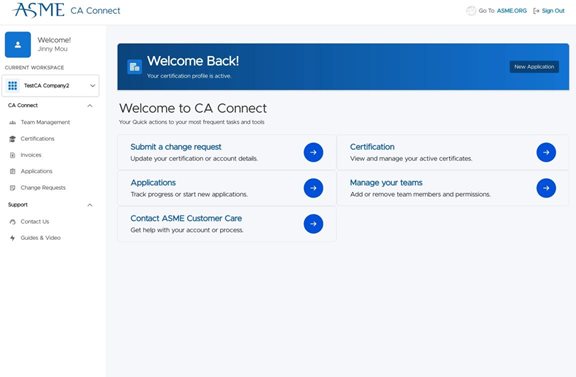
2. Click "Track progress or start new applications" to find your application in progress.
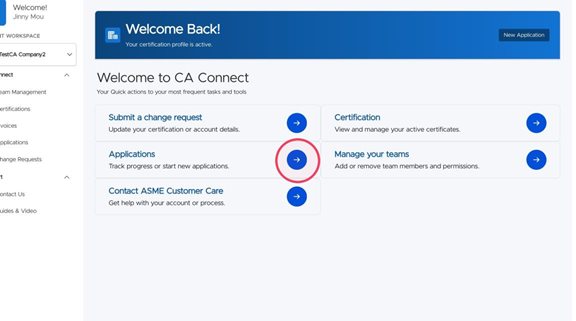
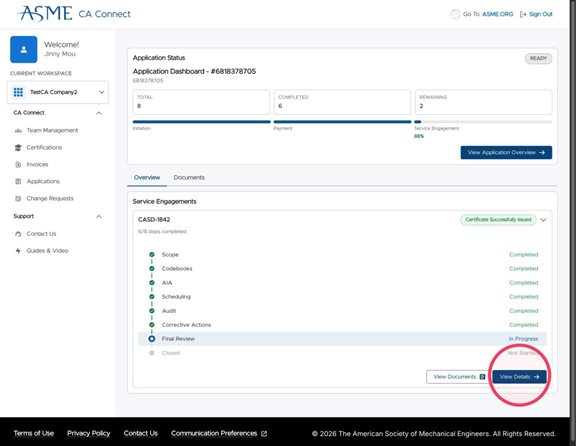
3. Click "View Details" on your active application.
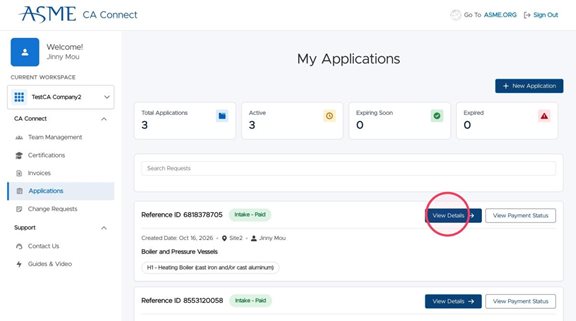
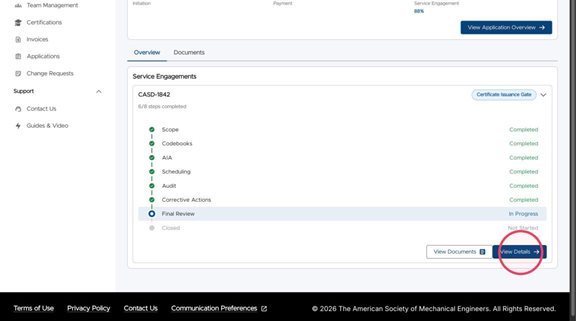
4. Click "View Details" to see your finalized report.
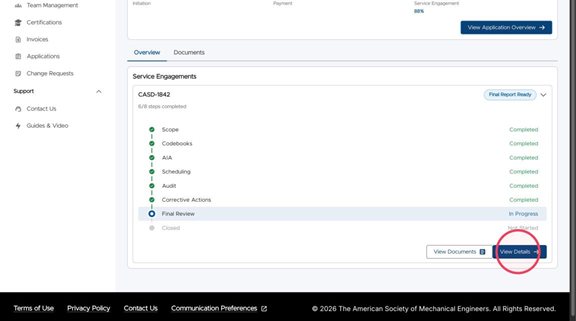
5. Click "Download PDF" to get a copy of the report.
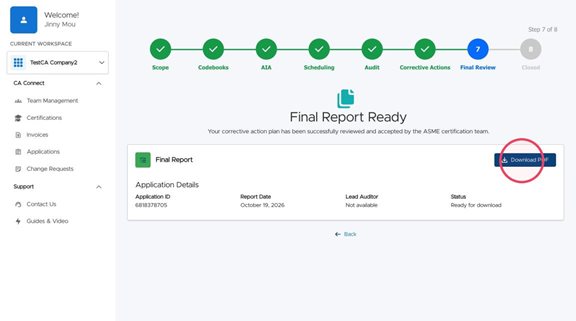
6. If there is a balance remaining on your account, ASME will notify you to return to your application.
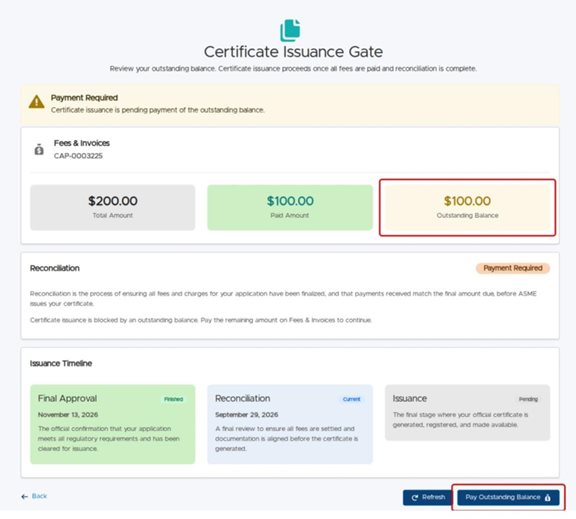
7. You will see any remaining amount owed. Click the "Pay Remaining Balance" button to display the invoice.
8. You will see the detailed invoice with any payments applied and a link to " "Pay Application." Once your application is paid, you will be able to download your new Certificate.
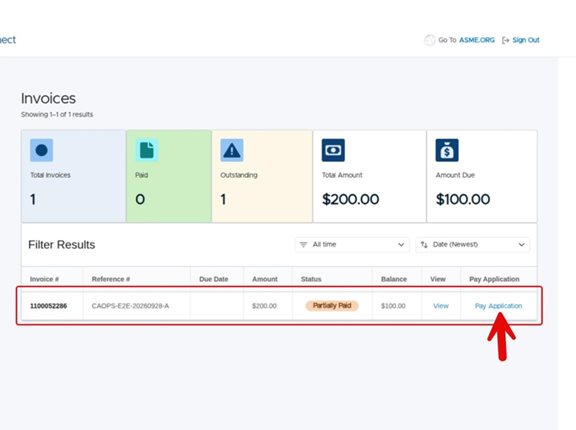
9. Once your invoice is paid, you can return to your application.
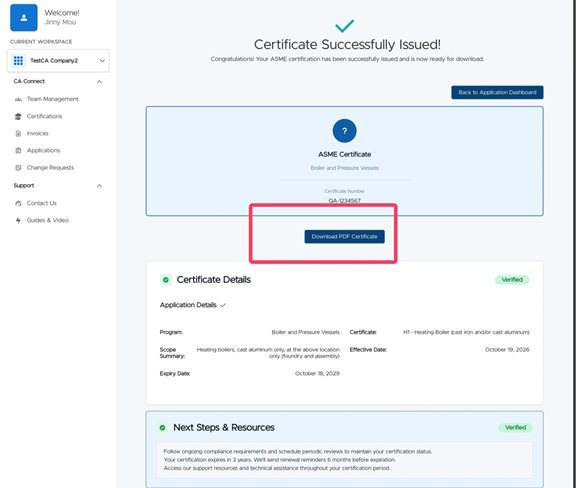
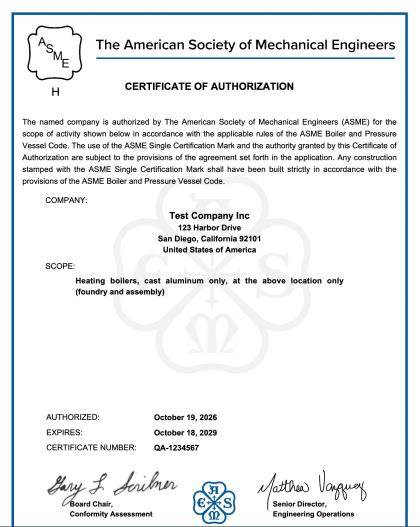
10. Click "Download Certificate" to get your newly issued certificate.
11. If there are any changes needed to your certificate, contact ASME Staff.
2. Click "Track progress or start new applications" to find your application in progress.
3. Click "View Details" on your active application.
4. Click "View Details" to see your finalized report.
5. Click "Download PDF" to get a copy of the report.
6. If there is a balance remaining on your account, ASME will notify you to return to your application.
7. You will see any remaining amount owed. Click the "Pay Remaining Balance" button to display the invoice.
8. You will see the detailed invoice with any payments applied and a link to " "Pay Application." Once your application is paid, you will be able to download your new Certificate.
9. Once your invoice is paid, you can return to your application.
10. Click "Download Certificate" to get your newly issued certificate.
11. If there are any changes needed to your certificate, contact ASME Staff.