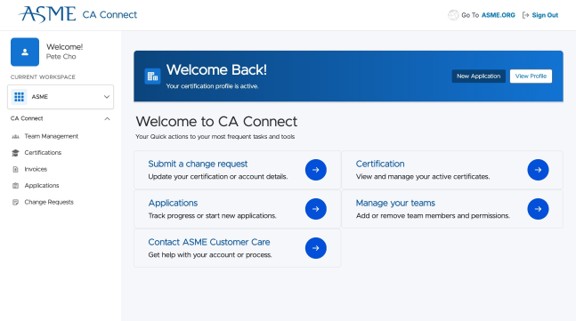
How To Log In to CA Connect
Follow this guide to learn how to register for a new ASME.org account and then sign in to CA Connect. This walkthrough covers the new account sign-up process.
New Account Sign Up
1. Navigate to the CA Connect login page at https://caconnect.asme.org/. If you have an existing ASME.org account, enter your email and password and select “Log in to continue.”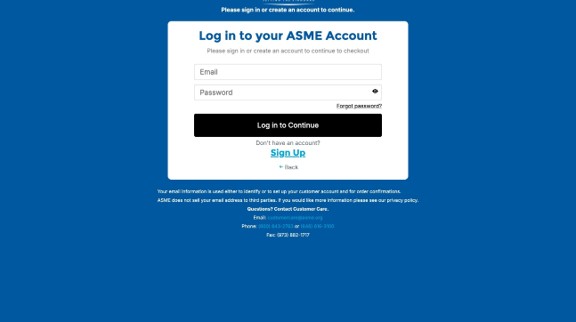
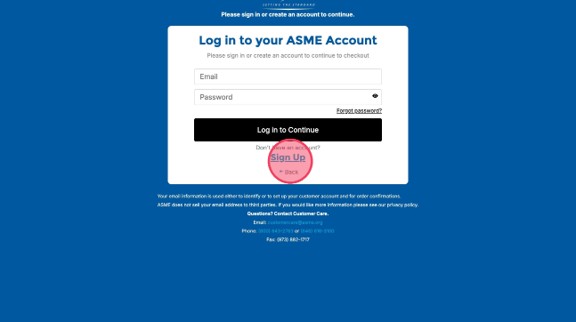
2. If you do not have an existing ASME.org account, select the "Sign Up" link.
Contact and Address Details
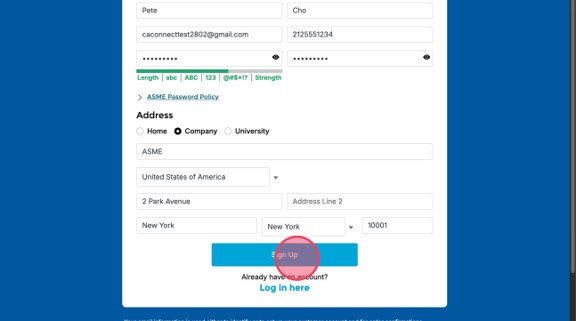
3. If you have been invited by a team member, you will need to enter your name, company email address, phone number, and desired password into the respective fields. Note the password policy.4. Select the Company option under the Address section – this is required for CA Connect access.
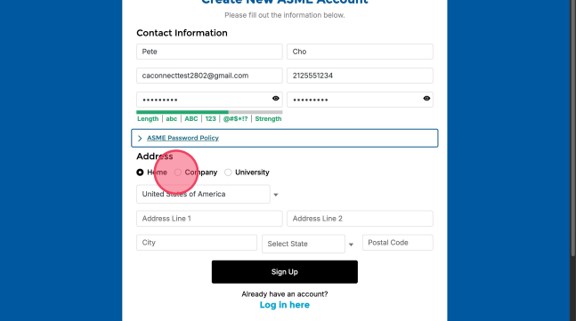
5. Enter your company's exact information and click "Sign Up." If you have been invited by a team member, this information is all in your invitation email. Make sure to use the exact information provided in that email, as any typos will result in an error associating your ASME.org account to your company.
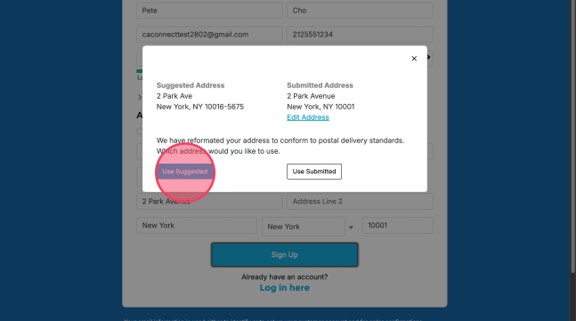
6. Verify the suggested USPS formatted address before accepting it. Address selection may affect company matching.
7. Congratulations! You are now registered. If you don’t see the CA Connect dashboard, your access request may still be pending by your CA Connect Admin. If you still need assistance logging in, reach out to ASME Customer Care.